Cookie Banner
The Cookie Banner is the first thing visitors see when they land on your website. It informs them about cookie usage and provides buttons to accept or customize their consent preferences.
When creating or editing a cookie, the Cookie Banner section shows a live preview on the left and the configuration form on the right. Changes are reflected in the preview in real time.
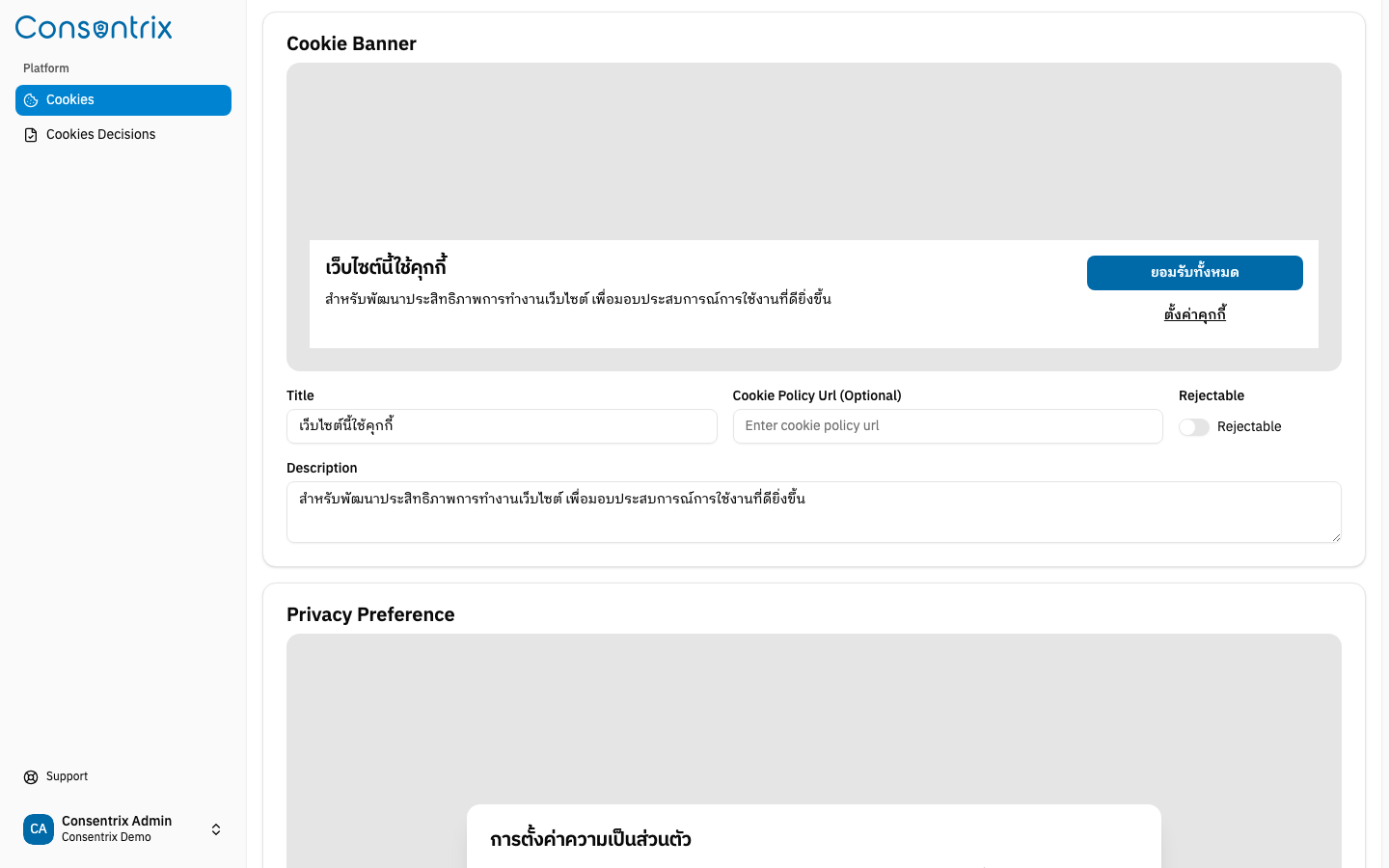
Banner preview
The live preview displays exactly how the banner will appear to your visitors. It includes:
- A title heading
- A description paragraph
- An Accept All button
- A Cookie Settings button (opens the Privacy Preference panel)
- A Reject All button when Rejectable is enabled
Configuration fields
| Field | Required | Default | Description |
|---|---|---|---|
| Title | Yes | เว็บไซต์นี้ใช้คุกกี้ | The heading displayed on the banner. |
| Description | Yes | สำหรับพัฒนาประสิทธิภาพการทำงานเว็บไซต์... | The body text explaining cookie usage. |
| Cookie Policy URL | No | — | Optional URL to your cookie policy page. When provided, a link is shown in the banner. |
| Rejectable | No | Off | When enabled, visitors can reject all non-essential cookies directly from the banner. |
Banner buttons
The banner displays these action buttons:
| Button | Behavior |
|---|---|
Accept All (ยินยอมทั้งหมด) | Grants consent for all cookie categories. |
Reject All (ปฏิเสธทั้งหมด) | Rejects all non-required cookie categories. This button appears only when Rejectable is enabled. |
Cookie Settings (ตั้งค่าคุกกี้) | Opens the Privacy Preference panel where users can customize their choices. |
Best practices
- Keep the title short and clear.
- Write a description that explains why cookies are used and how they benefit the user.
- Provide a Cookie Policy URL linking to your full cookie policy for transparency.
- Enable Rejectable if you want to comply with strict consent regulations (e.g. GDPR).
Related Links
- Managing Cookies — Create and manage cookie configurations
- Privacy Preference — Configure the privacy preference panel
- Cookie Consent Overview — Understand the Cookie Consent feature