Template Version
A Template Version represents a specific iteration of your consent terms.
Key concepts
| Term | Description |
|---|---|
| Locale | Language or market-specific version of the consent content. |
| Effective Date | Date from which the version should be used operationally. |
| Requires Reconsent | Rule that can force customers to act again when this version is checked. |
| Partner list | Third-party partners linked to this version for sharing controls. |
Prerequisites
- You can access Platform -> Consent Template and open a template.
- The consent template already exists.
Required Permissions
| Permission Code | Access |
|---|---|
consent_templates:view | View template versions and details |
consent_templates:create | Create a new template version |
consent_templates:edit | Edit a draft version and request review |
consent_templates:review | Review a submitted version |
consent_templates:approve | Approve a version for final use |
When to Use This
| Scenario | What this helps with |
|---|---|
| Terms or wording changed | Create a new version without losing history |
| A draft needs approval | Move it through review and approval states |
| Partners or reconsent behavior changed | Update the version before it goes live |
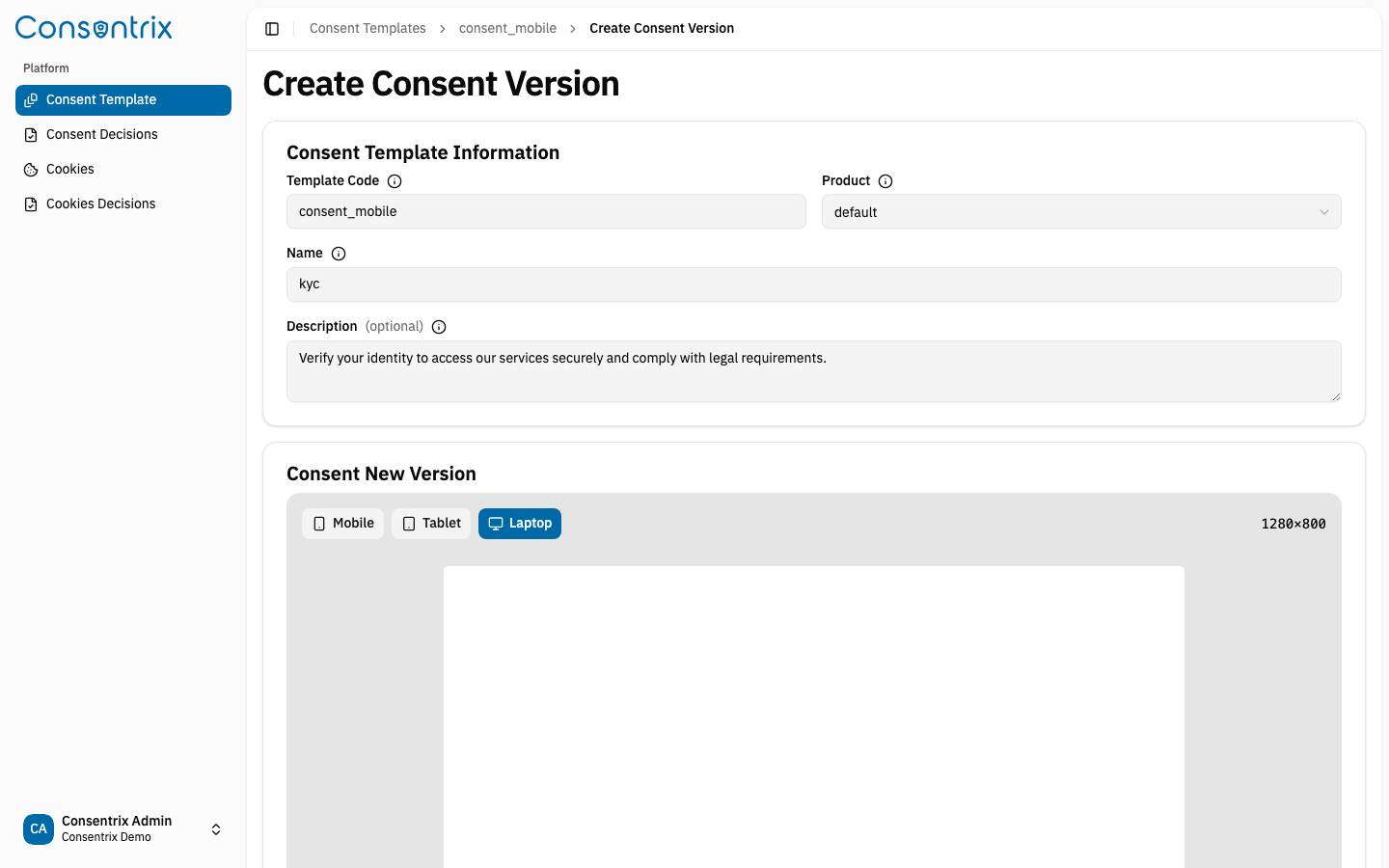
Create a New Version
When you need updated terms, create a new version with:
- Updated content (HTML format)
- Locale (language)
- Version tag
- Effective date
- Partner list (optional)
- Reconsent requirement flag
The new version starts in Draft status.
View All Versions
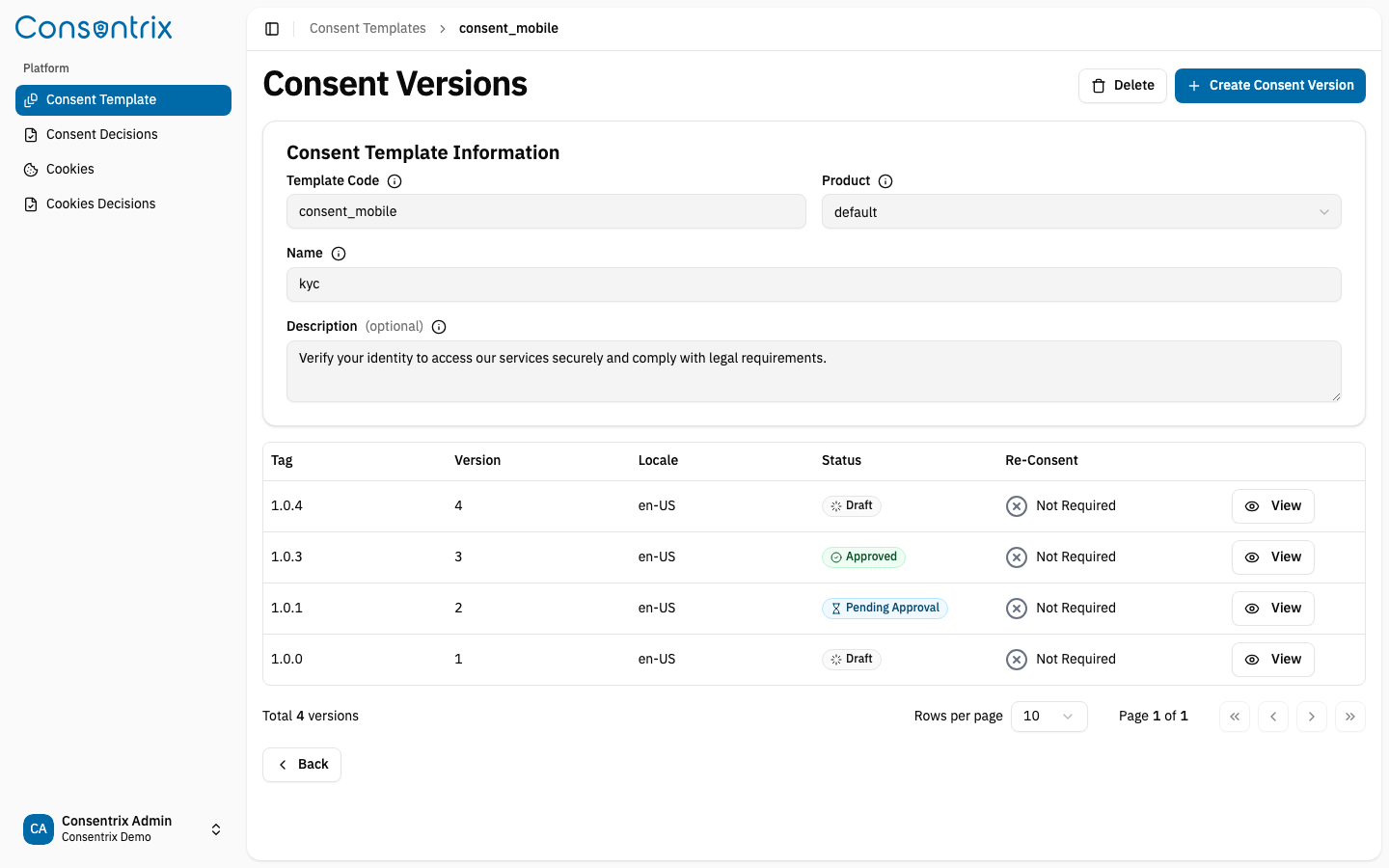
See the version history for a template, including status, tag, locale, and creation date for each version.
Edit a Draft Version
While the version is in Draft status, you can update:
- Content HTML
- Locale
- Effective date
- Partner list
Statuses and Actions
| UI Label | API Value | Meaning | Available actions |
|---|---|---|---|
| Draft | draft | Content is editable and not yet submitted | Edit, request review |
| Pending Review | pending_review | Waiting for review | Review, approve to next step, reject |
| Pending Approval | pending_approve | Waiting for final approval | Approve, reject |
| Approved | approved | Approved and ready for live use based on publish/runtime rules | View, use as approved version |
View Version Details
View complete information about a specific version including content, status, and partner associations.
Request Review
Submit your draft for review. This changes the status from draft to pending_review.
Approve a Version
Reviewers and approvers can advance a version through the approval stages:
- First approval:
pending_review→pending_approve - Final approval:
pending_approve→approved
Reject a Version
Send a version back to Draft for revisions. You must provide a reason for the rejection.
The status changes from pending_review or pending_approve back to draft.
Manage Partners
Link a Partner
Add a partner to a specific version so they are included when users consent.
Unlink a Partner
Remove a partner from a version so they are no longer included in the consent.
Update All Partners
Update the complete list of partners for a version in one action.
Important Behavior
- Version history is preserved for auditability. Create a new version instead of overwriting a previously approved record.
- Rejection returns the version to
draftand records a rejection reason for follow-up. requires_reconsentchanges how pending-consent checks behave for customers, so treat it as a business rule, not just a UI flag.- Partner changes belong to the specific version you are editing, not to every version of the template.
Consent lifecycle context
This page covers the approval part of the consent lifecycle:
- Start from a Draft version
- Submit for Review
- Move to Pending Approval
- Finish in Approved
- Let applications use that approved version when customers need to act
Troubleshooting
| Problem | Likely cause | What to do |
|---|---|---|
| Cannot edit a version | The version is no longer in draft | Create a new version or review the rejection reason |
| Cannot request review or approve | Missing consent_templates:review or consent_templates:approve | Ask an administrator to update your role |
| Unsure whether to create a new template or a new version | The consent item is the same but the text or conditions changed | Keep the template and create a new version |
Related Links
- Consent Management Overview — See the full consent lifecycle
- Consent Template — Template management overview
- Consent Decision — Track user consent decisions
- Consent Policies — Understand how versions fit into the full consent policy model
- Partner & Channel Control — Understand how partner links and downstream controls work