Consent Template
A Consent Template is a reusable definition that specifies what users need to agree to when using your products or services.
Key concepts
| Term | Description |
|---|---|
| Template Code | Stable identifier used by the API and internal workflows to refer to one consent item. |
| Product | Business area that owns the consent requirement. |
| Template Version | The versioned content that customers actually see and respond to. |
Prerequisites
- You can access Platform -> Consent Template.
- A Product already exists for the template you want to create.
Required Permissions
| Permission Code | Access |
|---|---|
consent_templates:view | View template lists and details |
consent_templates:create | Create a template and its first version |
consent_templates:delete | Delete templates and their versions |
When to Use This
| Scenario | What this helps with |
|---|---|
| You need a new consent item for a product | Create a reusable template and its first version |
| You want to review existing templates | Check the template list and open details |
| You need to remove an unused template | Delete the template and all versions when it is no longer needed |
Create a Template
When you create a template, you'll also create its first version simultaneously.
-
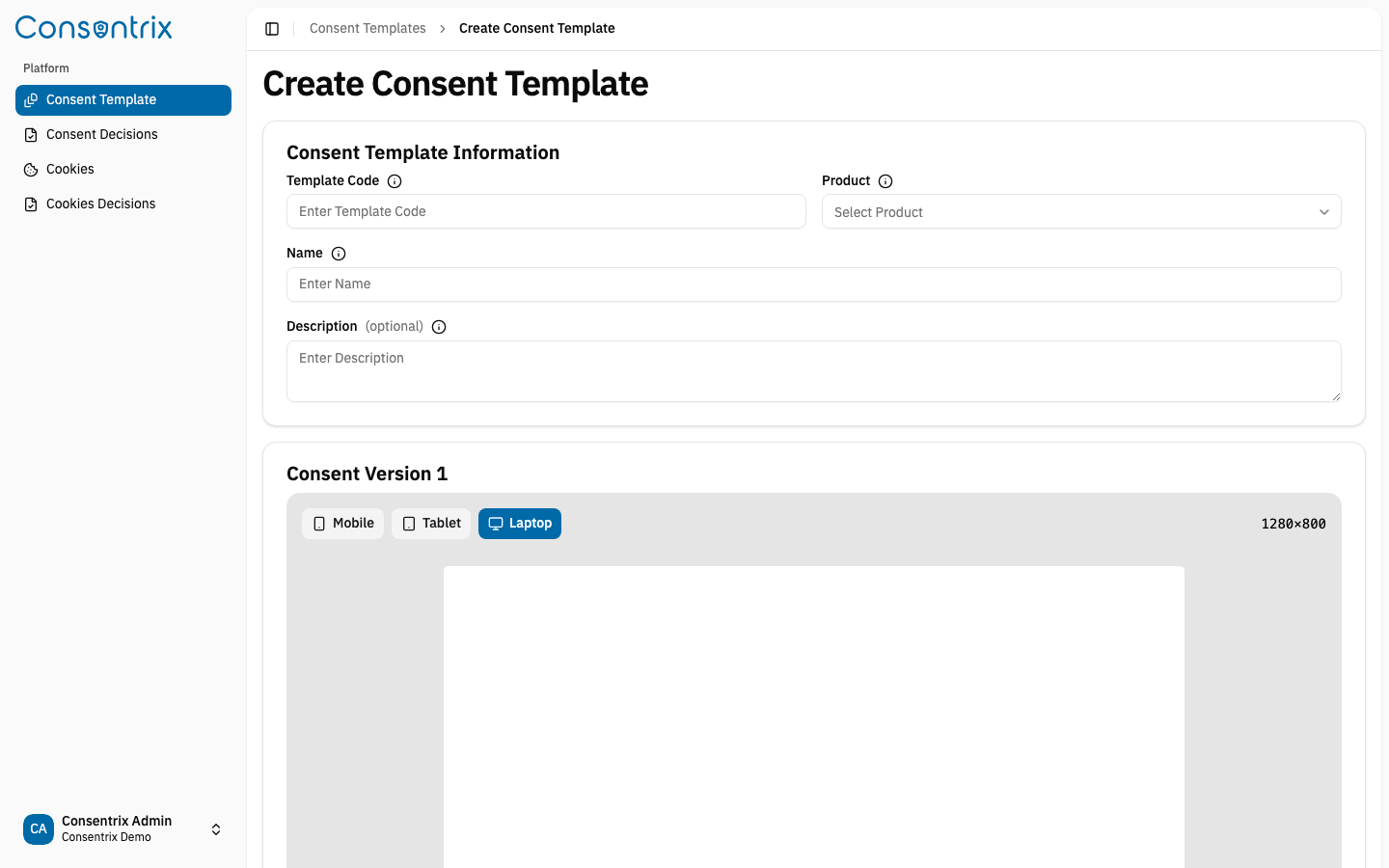
Provide template information:
- Template Code: A unique identifier
- Product: Select which product this consent applies to
- Name: A clear, descriptive title
- Description: Explain what users are consenting to
-
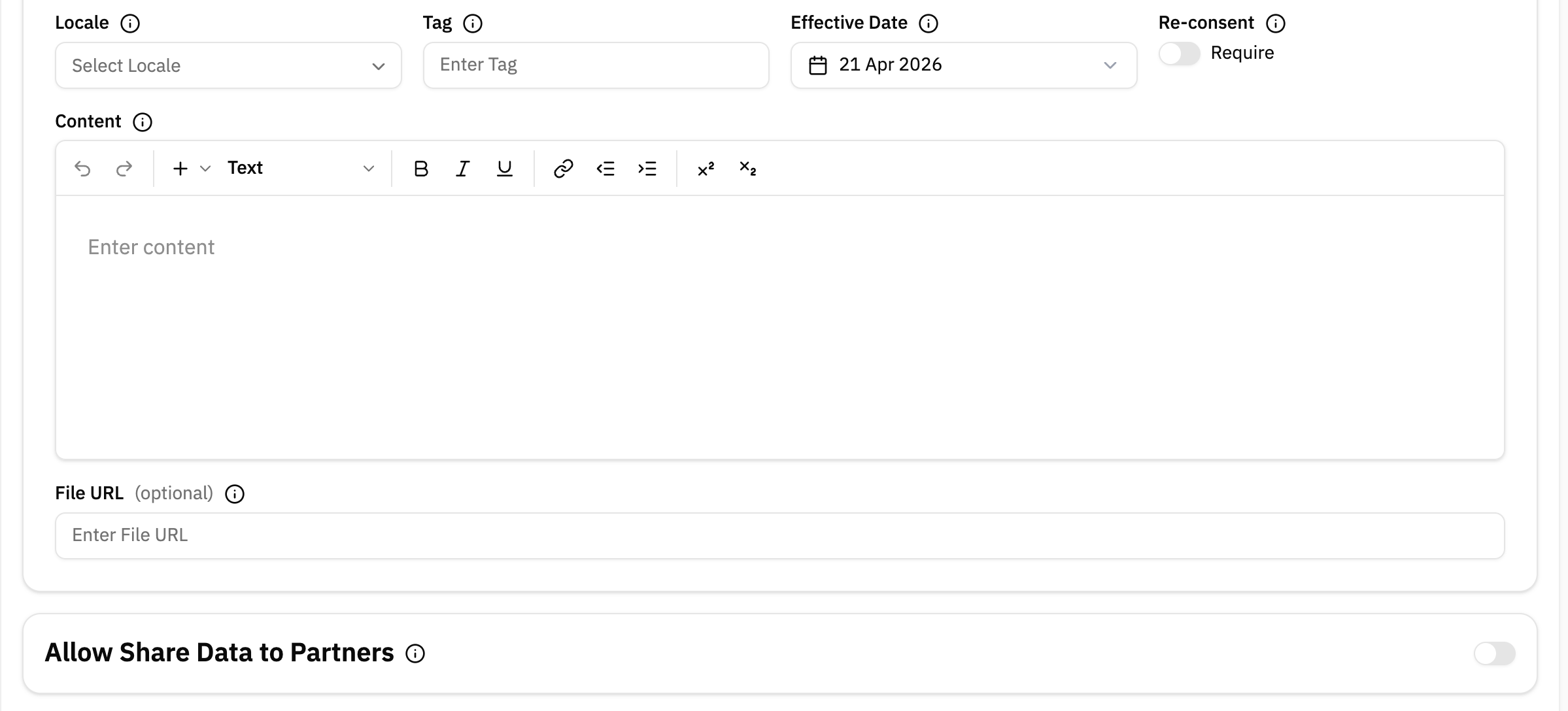
Define the first version:
- Content: The actual consent terms (HTML format)
- Locale: Language (e.g., Thai, English)
- Tag: Version identifier (e.g.,
1.0.0) - Effective Date: When this version becomes active
- Re-Consent: Whether users must re-consent when this version becomes active
- File URL: Upload a file containing the consent content (optional)
- Allow Share Data to Partners: Which third-party partners are included (optional)
Fields and Rules
| Field | Required | Description |
|---|---|---|
| Template Code | Yes | Stable identifier used to reference the template in the system and APIs. |
| Product | Yes | Product that owns the consent requirement. |
| Name | Yes | Business-facing title shown in the portal. |
| Description | Yes | Explains what the consent is for. |
| Content | Yes | Consent content for the first version, stored as HTML. |
| Locale | Yes | Language for the consent content. |
| Tag | Yes | Human-friendly version label such as 1.0.0. |
| Effective Date | Yes | Date when the version becomes active. |
| Re-Consent | No | Forces customers to act again when the version is checked. |
| File URL | No | Optional hosted file reference for the consent content. |
| Allow Share Data to Partners | No | Partners included with this version. |
View Templates
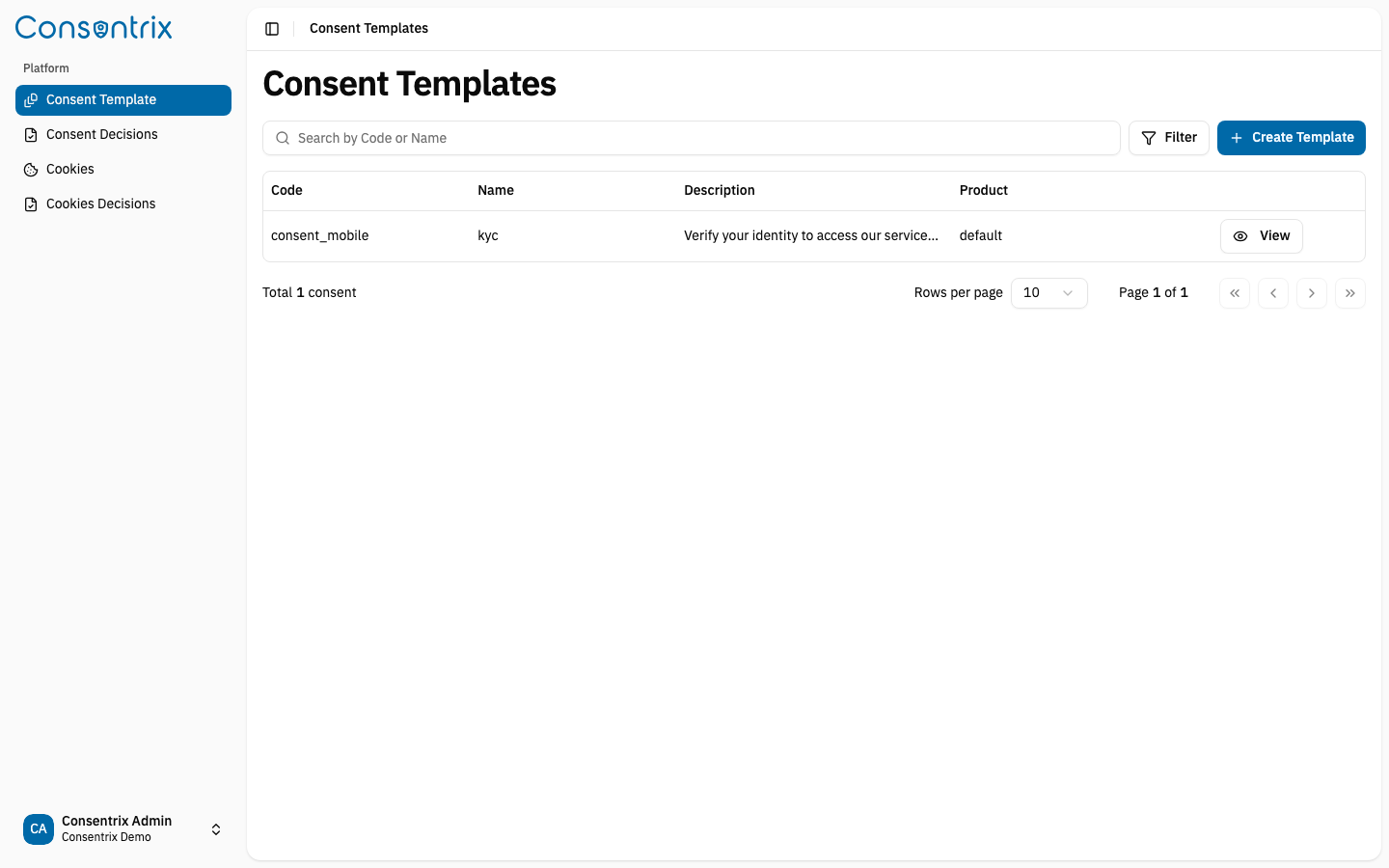
See all your consent templates with their associated products. You can filter by product, search by name or description, and paginate through results.
View Template Details
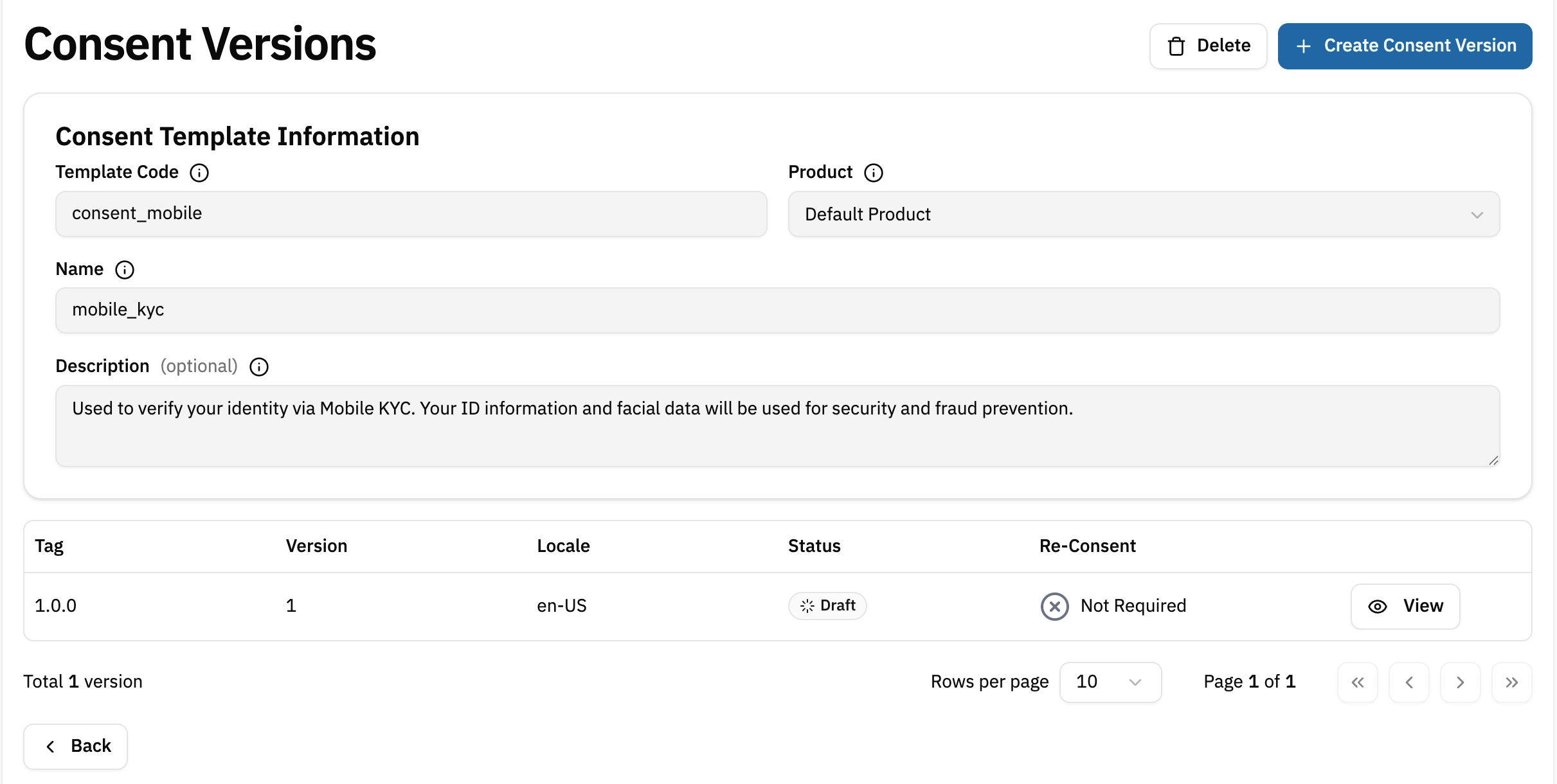
Get full information about a specific template including its code, name, description, and associated product.
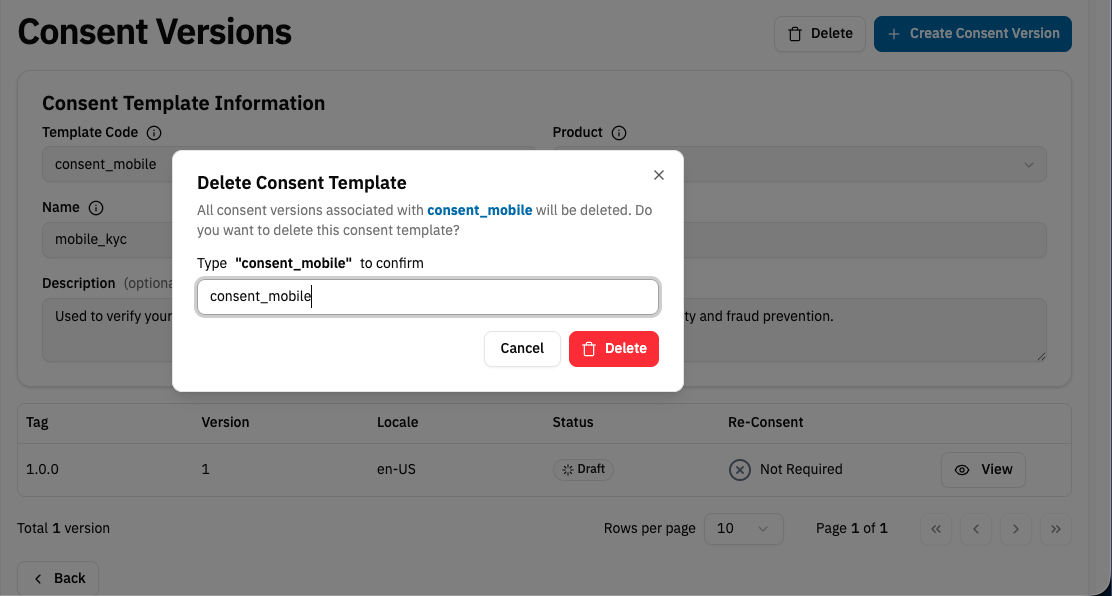
Delete a Template
Remove a template and all its versions. Use with caution as this cannot be undone.
Important Behavior
- Creating a template also creates its first template version in Draft.
- Template lifecycle actions such as review and approval happen on the version, not on the template itself.
- Deleting a template removes all associated versions, so only do this when the template is no longer needed.
Consent lifecycle context
This page covers the first step of the consent lifecycle:
- Create the template
- Add or update a version
- Review and approve the version
- Record customer decisions
Troubleshooting
| Problem | Likely cause | What to do |
|---|---|---|
| Cannot see Create Consent Template | Missing consent_templates:create permission | Ask an administrator to update your role |
| Product dropdown is empty | No product is available for the tenant | Create or enable the required product first |
| Not sure whether to edit a template or create a new version | The business rule changed but the template itself still represents the same consent item | Keep the template and create a new version instead |
Related Links
- Consent Management Overview — Start with the end-to-end consent workflow
- Template Version — Manage versions and the approval workflow
- Consent Decision — Understand how user decisions are tracked
- Consent Policies — Understand how templates, versions, decisions, and products fit together
- Identity & Access — Understand
customer_id, Subject, users, and API keys